
ImGui Coding
ImGui is an open-source C++ library. As of December 2022, imgui is on version 1.89.1.
pyimgui is an open source python wrapper to some of the features of the C++ library. It wraps an older version of imgui, version 1.82. (That is, pyimgui is version 2.0.0, which generally supports imgui 1.82).
Even so, this is more than adequate for implementing widgets to interact with the user: more complicated drawing is probably not going to work. Some of the features in the C++ library are not (yet) supported by pyimgui.
There are two ways to see what this version of imgui can do:
Modify the provided sample in PI_imgui.py, and run that within X-Plane
Run standalone pyglet based GUI, where you can try out the widgets without running all of X-Plane.
ShowDemoWindow
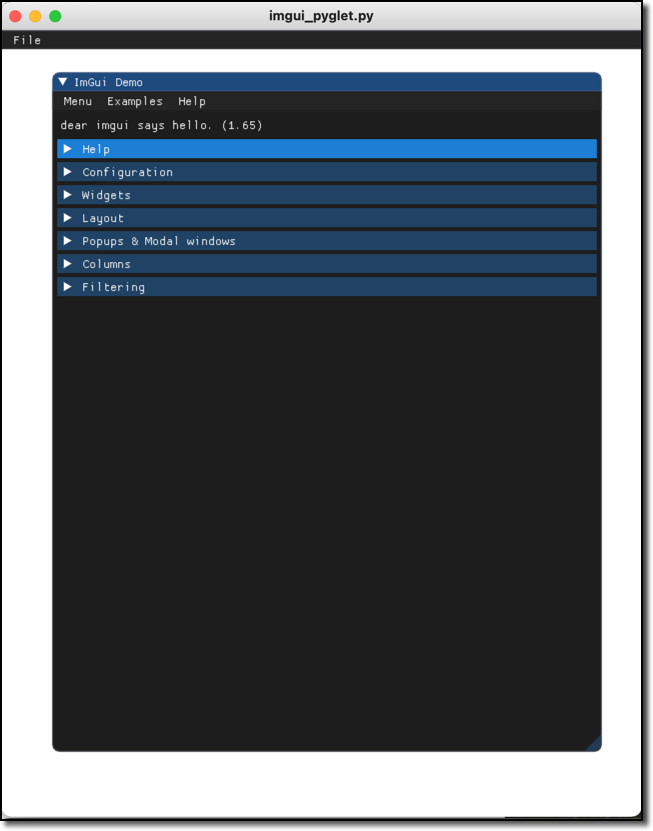
Either way, imgui comes with a great demonstration. In C++ it is ImGui::ShowDemoWindow().
You can see this by calling the pyimgui method show_demo_window(). Helpful to see what’s
available, but not very helpful from a programming standpoint
because show_demo_window() merely calls the C++ method.
You can copy & paste this directly into the Mini Python Interpreter:
>>> from XPPython3 import xp_imgui
>>> import imgui
>>> def drawWindow(windowID, refCon):
...     imgui.show_demo_window()
...
>>> window = xp_imgui.Window(draw=drawWindow, visible=1)
For additional reference, pyimgui source (not included) has a testwindow.py file which
includes python examples of the full interface. You can get a copy
from pyimgui github.
Look at this python file to see
the actual set of pyimgui calls you can make (e.g., imgui.radio_button, imgui.slider_float).
refer to pyimgui’s documentation, especially
pyimgui.core.
>>> from XPPython3 import xp_imgui
>>> import imgui
>>> import testwindow  # (you need to download this from github)
>>> def drawWindow(windowID, refCon):
...     testwindow.show_test_window()
...
>>> window = xp_imgui.Window(draw=drawWindow, visible=1)
ImGui Standalone
To “play” with imgui in a python environment, without having to fire up X-Plane, You can use a different application environment to drive ImGui.
Note
In this example, you’re using the OS-installed version of Python, not the XPPython3 version of Python, so you’ll need to separately install OpenGL and IMGUI modules.
To run standalone, do this:
Get python3 running
Install python modules
pyopengl,imgui,pyglet$ python3 -m pip install pyopengl pyglet
Run sample
imgui_pyglet.pyfromResources/plugins/PythonPlugins/samples:$ cd Resources/plugins/PythonPlugins/samples $ python3 imgui_pyglet.py
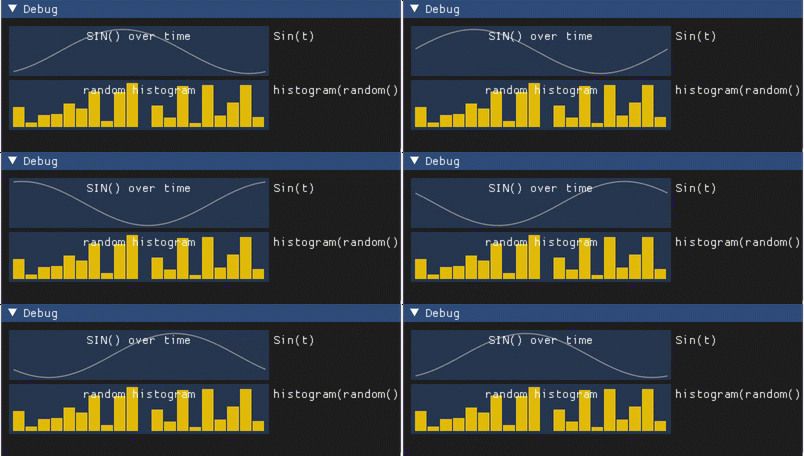
You can make changes within imgui_pyglet, updating the update() function to experiment
with different ImGui functionality.
Note <sigh>, if you’re using python 3.12 and pyglet, there is a bug in the imgui pyglet integration.
This does not affect X-Plane, but will cause the above example to fail. You can fix this
by making 2 changes to imgui/integrations/pyglet.py.
Remove the deprecated:
from distutils.version import LooseVersion
and change line:
if LooseVersion(pyglet.version) < LooseVersion('2.0'):
to:
if int(pyglet.version.split('.')[0]) < 2:
Where is imgui/integrations/pyglet.py? It’s where your pip installed it. Easy way to find it
is ask python:
$ python3
>>> import imgui
>>> imgui
<module 'imgui' from '/Library/Frameworks/Python.framework/Versions/3.12/lib/python3.12/site-packages/imgui/__init__.py'>
My copy of imgui is installed at /Library/Frameworks/Python.framework/.../site-packages/imgui,
so integrations/pyglet.py is just under that.
Next, ImGui Advanced
